FIELD SERVICE EDITION · ABB PROCONTROL P14
ABB PROCONTROL P14 I/O Guide: Module Functions, Maintenance and Spare-Part Selection
What the I/O Layer Does
A P14 process station brings I/O, processing and communication modules together on the station bus. ABB explains that I/O modules contain their own processors, allowing signal acquisition, conditioning and self-monitoring to take place close to the process. The official architecture also makes process variables available across the bus in real time. This distributed design matters wherever operators need dependable signal handling without relying on one central processor for every field task.
Where the Modules Fit
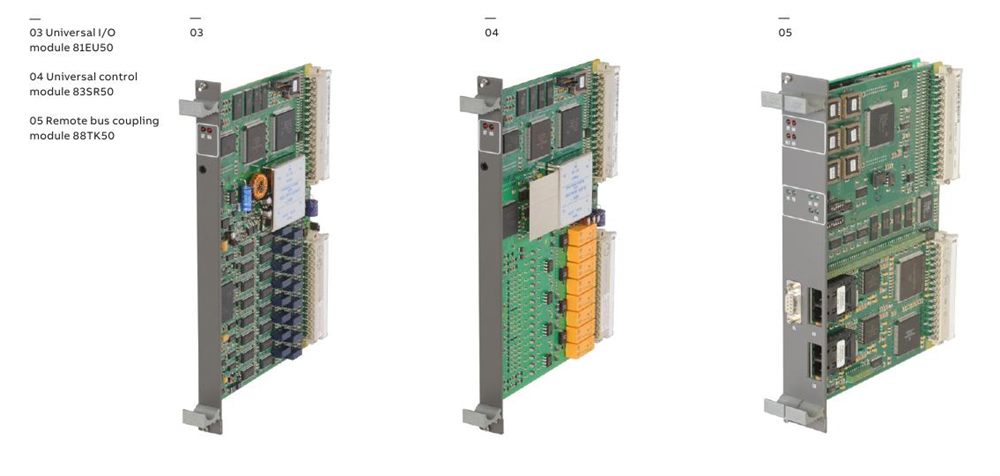
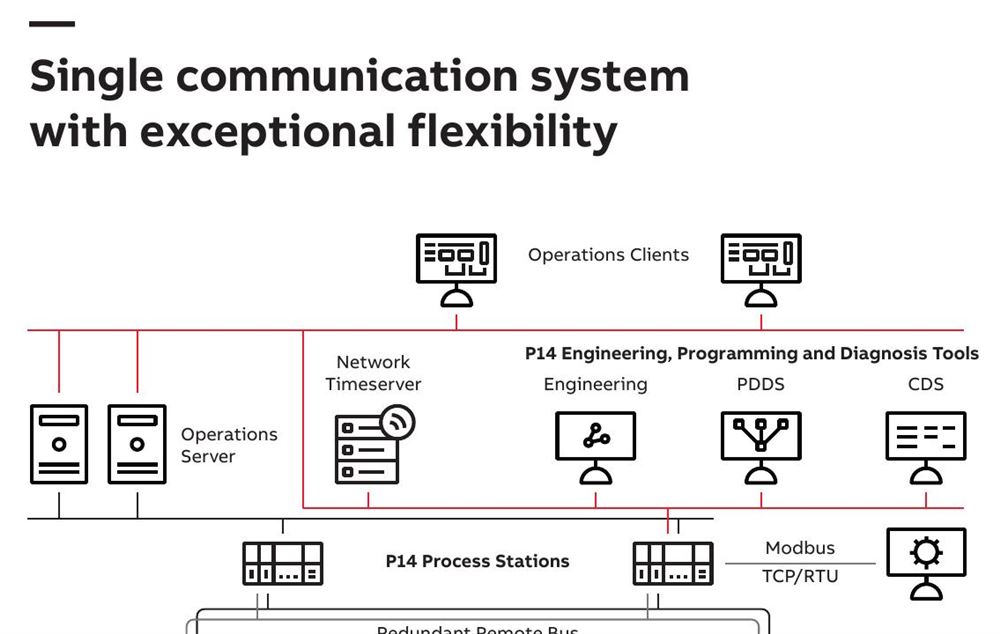
Inside the station, the backplane-based station bus links input, output, control and coupling modules. ABB’s published system description identifies universal I/O and universal control modules as the two principal types covering most signal-conditioning and control duties, while communication modules connect HMI, engineering tools, MODBUS equipment and remote stations. The remote layer uses a redundant FDDI architecture, so the installed module’s role and bus position must be understood before any replacement is planned.
Who Should Confirm a Spare
The decision normally involves maintenance engineers, control-system specialists and purchasing staff. Engineering should establish what the module does and how it is addressed; maintenance should record the rack, slot, indicators and fault history; purchasing should preserve every character in the ABB identification number and type code. This division of work prevents a visually similar module from being treated as interchangeable merely because its front panel or family number appears familiar.
How P14 Diagnosis Supports Maintenance
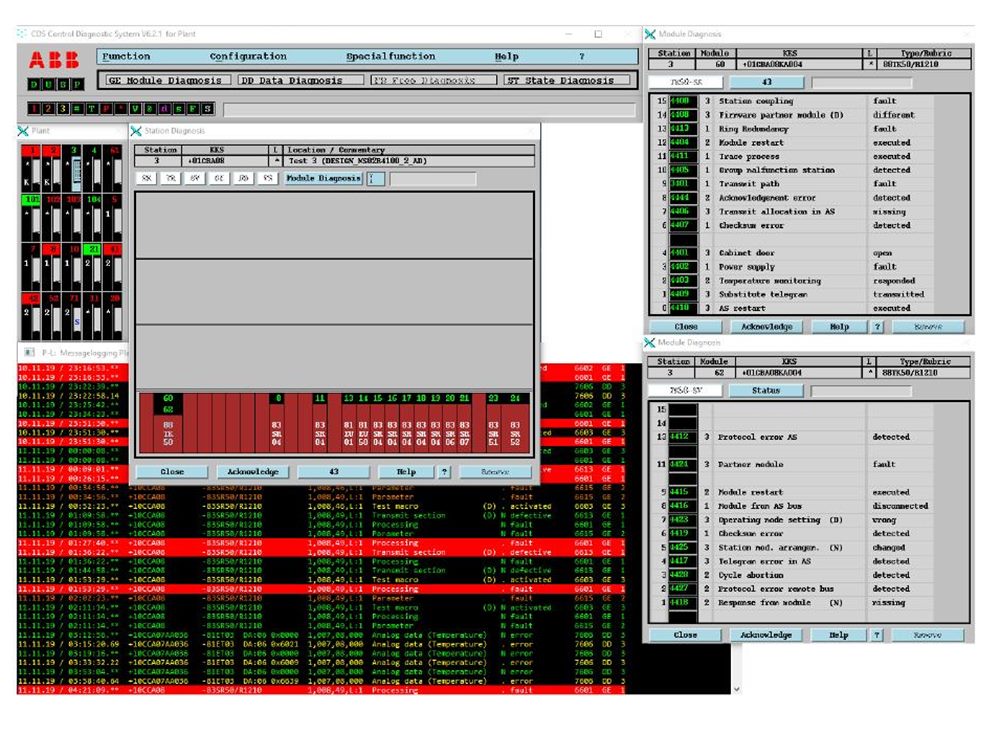
ABB describes a diagnostic approach in which each I/O module reports its type, location and status. The diagnostic system can show cabinets, racks and module registers, then guide technicians toward the affected component and possible corrective action. Current P14 Diagnosis documentation also identifies 87TS01 variants as coupling modules used to connect the diagnosis server. These tools help answer what failed and where, but removal, insertion and testing must still follow the applicable ABB manual and the plant’s authorized safety procedure.
When a Replacement Should Be Ordered
A spare request becomes justified when diagnostics, inspection and approved testing point to the module rather than field wiring, power, termination or configuration. Before ordering, record the full identification number, type and revision from the nameplate; photograph the installed unit; note the cabinet and slot; and preserve the existing configuration records. ABB’s own component declarations show why suffixes matter: one family name may appear with several revisions or functions, particularly among communication and coupling modules.
How to Build a Clear RFQ
A useful enquiry states the exact ABB order reference and type code, required quantity, delivery destination, desired condition and requested documentation. Include a readable nameplate photograph and explain whether the part is an operational replacement or a shelf spare. Do not ask for “an analog P14 card” or assume a different suffix will work. A precise RFQ shortens clarification time and gives the responsible engineer enough information to review compatibility before installation.
Recommended ABB PROCONTROL P14 References
The references below are taken from ABB’s official P14 component declaration. Green links open exact matching product pages already available on this website.
| ABB identification | Type code | Official description |
|---|---|---|
| GJR2393400R1210 ↗ | 81EA04R1210 | Input module, analog |
| GJR2392500R1210 ↗ | 81AB03R1210 | Output module, binary signals |
| GJR2368900R1313 ↗ | 87TS01R1313 | Coupling module, time master FDDI |
| GJR2393200R1250 | 88TK05R1250 | Coupling module MS/FDDI |
| GJR2403800R1210 | 81EU50R1210 | Input module, universal |
| GJR2395500R1210 | 83SR50R1210 | Control module |
| GKWE860700R1210 | 87TP50R1210 | Coupling module, Modbus |
| GJR2397000R1210 | 88TK50R1210 | Station-bus coupling, FDDI |
Send Us the Exact ABB Reference
Share the full identification number, type code, quantity, destination and a clear nameplate photograph. We will check availability and respond with quotation details.