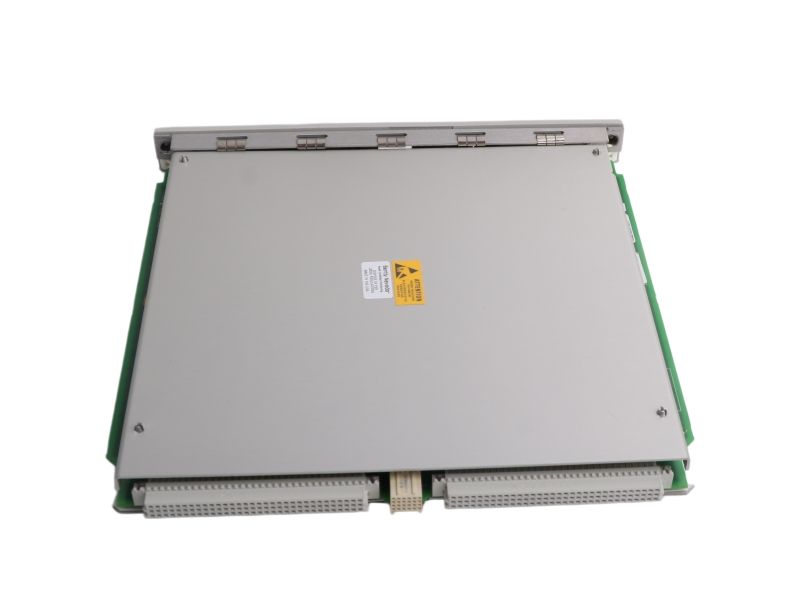
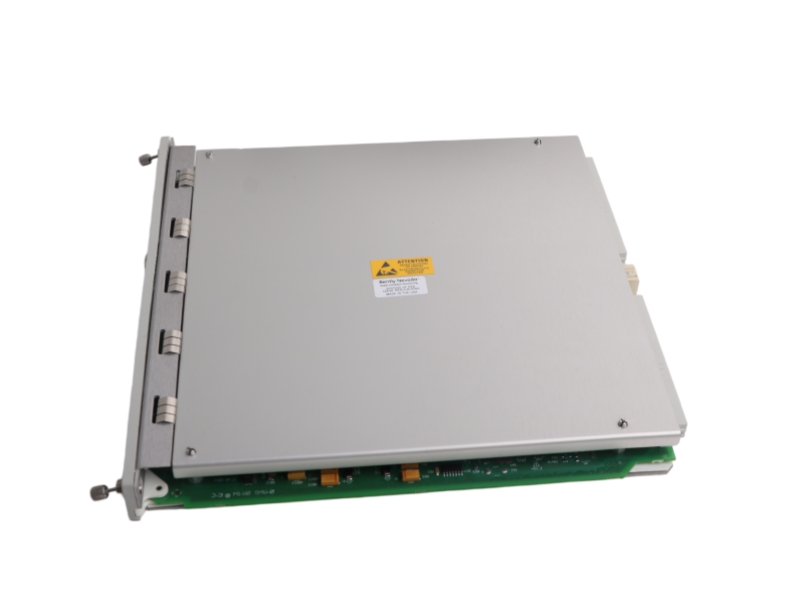
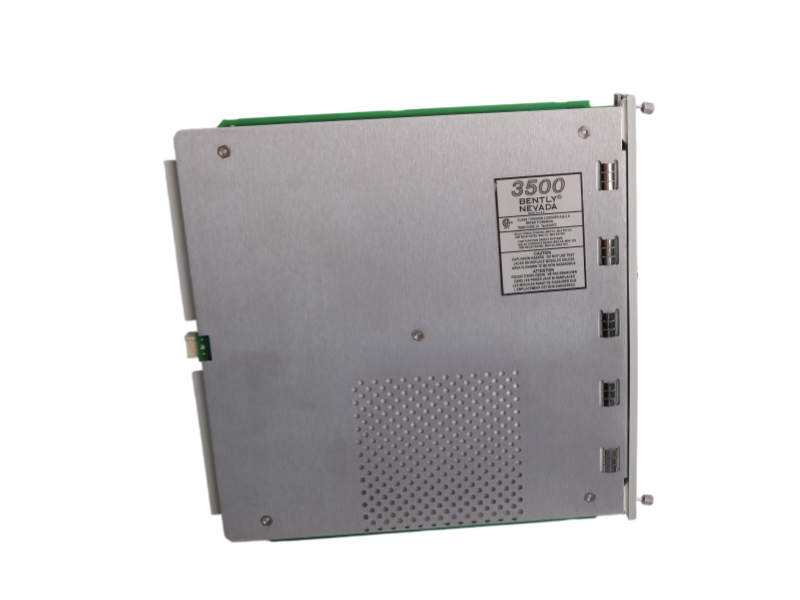
General Information
| Model number | 3500/22-01-01-01 |
| Country of origin | USA |
| Condition | Brand New |
| Dimension | 24.1x2.4x24.1cm |
| Weight | 0.44kg |
| Lead time Warranty | in stock |
| MOQ | 1 pcs |
Core Description
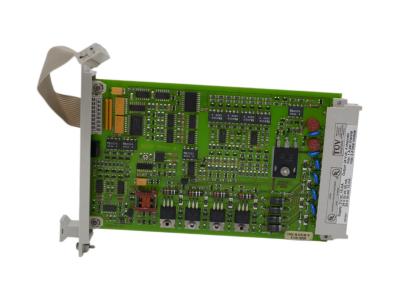
The 3500/22-01-01-01 is a Bently Nevada 3500/22M standard transient data interface (TDI) module configured with a standard 10Base-T/100Base-TX copper Ethernet I/O interface and CSA/NRTL/C hazardous area approvals. This single-slot, chassis-resident processor bridges the 3500 machinery protection rack with System 1 condition monitoring and configuration software platforms. It continuously multiplexes steady-state metrics and synchronous or asynchronous dynamic waveforms across M-series monitors, utilizing internal communication processing layers to pass advanced diagnostic waveforms via a secure Ethernet TCP/IP link without interrupting critical protection trip paths.
Specific Application
Ordering Information
3500/22-01-01-01
| A: Transient Data Interface Type | |
| 01 | Standard (use for standard monitoring applications) |
| B: I/O Module Type | |
| 01 | 10Base-T/100Base-TX Ethernet |
| 02 | 100Base-FX (Fiber Optic) Ethernet |
| 03 | 10Base-T/100Base-TX Ethernet with gold-plated OK Relay contacts |
| 04 | 100Base-FX (fiber optic) Ethernet with gold-plated OK Relay contacts |
| C: Agency Approval | |
| 00 | None |
| 01 | CSA/NRTL/C (Class 1, Division 2) |
| 02 | Multi (CSA, ATEX, IECEx) |
System Compatibility
Installation & Troubleshooting FAQ
Q1: What strict component sequence must be followed when upgrading a 3500 rack from a legacy 3500/20 RIM to a 3500/22 TDI?
A: You must completely isolate the chassis power and perform the hardware swap in a precise chronological sequence: 1) Remove the old front RIM, 2) Remove the old rear RIM I/O module, 3) Insert the new TDI I/O module, and 4) Insert the front TDI module. Leaving the old legacy RIM I/O card in the rear slot when sliding in or powering up the new front 3500/22 TDI will cause immediate, catastrophic hardware damage to the new TDI circuit board components.
Q2: The front panel USB-B port is failing to link with my laptop during an on-line configuration download. How do I resolve this ground loop?
A: To maintain critical electrical isolation between the machine chassis and your host system ground, you must utilize the specialized 10-foot A-to-B USB cable (Part Number 123M4610) shipped with the unit. Crucially, the computer or field laptop attached to this USB configuration port must be operating strictly from its internal batteries (unplugged from any AC wall outlets). Keeping the laptop connected to a standard mains utility line will establish a hazardous ground loop that corrupts the serial data stream or triggers an interface dropout.
Q3: What do the OK and CONFIG OK LEDs indicate, and what happens when the Trip Multiply (TM) light turns on?
A: The front panel contains 4 functional LED visual anchors: The OK LED illuminates solid when the internal processor passes its boot diagnostics; the TX/RX LED flashes to track active backplane bus traffic with other monitors; and the CONFIG OK LED confirms the rack houses a validated software configuration matrix. If the TM LED turns on, it indicates the system has been placed into Trip Multiply mode via the rear contacts or software override, which temporarily scales the alarm setpoints by a factory factor to prevent false trips during machine startup transients.
Q4: How do I utilize the front panel Keylock switch to prevent unauthorized or accidental modifications to the monitoring loop parameters?
A: The front-panel configuration keylock provides physical security for your protection logic. Turning the key to the RUN position locks out all local or remote software configuration changes, keeping the rack secure against accidental edits while allowing full data visualization. Turning the key to the PROGRAM position permits real-time local or remote edits via the network. Because the physical key can be removed from the keyhole in either slot setting, you should lock the module in RUN and store the key in a secure instrument vault to maintain compliance with safety-instrumented rules.
Q5: The system log shows a "NOT OK Relay Fault." How does the internal OK relay behave under normal operating states?
A: The I/O module houses a dedicated hardware OK Relay designed to annunciate system errors. This relay always operates as Normally Energized under healthy runtime conditions. If a major fault is detected inside the processor or if backplane power fails, the relay instantly drops out (de-energizes). Field engineers can wire their external annunciator circuits to either the "OPEN" or "CLOSED" dry contacts on the rear terminal block to trigger an automated warning whenever the monitoring path drops off-line.
Contact information
Please don’t hesitate to contact us if you have any questions or concerns before or after your purchase. We are committed to your 100% satisfaction.
Sales Manager:Stella
Email:sales6@apterpower.com
Whatsapp:+86 18159889985
We provide professional global shipping services to ensure your industrial automation parts and equipment arrive safely and on time. To meet different delivery requirements, we cooperate with internationally recognized logistics companies, including:FedEx/DHL/TNT/UPS/SF Express
Whether you require standard international shipping or urgent express delivery, we can arrange flexible logistics solutions tailored to your project schedule and destination.
For convenient and secure transactions, we accept T/T (Telegraphic Transfer) payment.
After order confirmation, our sales team will provide complete payment details and invoice information to ensure a smooth and efficient payment process.
We are committed to providing efficient delivery and dependable customer service for clients worldwide.
| Bently Nevada | 330101-00-08-05-02-05 | Bently Nevada | 330101-00-18-10-02-CN | Bently Nevada | 330101-00-28-10-02-05 |
| Bently Nevada | 330101-00-08-10-02-00 | Bently Nevada | 330101-00-19-10-02-00 | Bently Nevada | 330101-00-30-50-02-00 |
| Bently Nevada | 330101-00-12-10-01-CN | Bently Nevada | 330101-00-19-10-02-00 | Bently Nevada | 330101-00-36-10-01-00 |
| Bently Nevada | 330101-00-10-10-02-00 | Bently Nevada | 330101-00-20-10-02-05 | Bently Nevada | 330101-00-50-10-02-00 |
| Bently Nevada | 330101-00-12-10-02-05 | Bently Nevada | 330101-00-20-15-02-05 | Bently Nevada | 330101-00-50-20-02-CN |
| Bently Nevada | 330101-00-15-10-02-00 | Bently Nevada | 330101-00-20-50-02-05 | Bently Nevada | 330101-00-60-10-02-00 |
| Bently Nevada | 330101-00-16-10-02-00 | Bently Nevada | 330101-00-24-10-02-05 | Bently Nevada | 330101-00-63-10-02-00 |
| Bently Nevada | 330101-00-16-10-02-00 | Bently Nevada | 330101-00-28-05-02-00 | Bently Nevada | 330101-00-63-10-02-00 |
| Bently Nevada | 330101-00-17-10-02-CN | Bently Nevada | 330101-00-28-05-02-00 | Bently Nevada | 330101-00-75-10-02-00 |
| Bently Nevada | 330101-00-18-10-02-00 | Bently Nevada | 330101-00-28-10-02-00 | Bently Nevada | 330101-00-76-05-01-00 |